

The player shows an error, or no pairing code
What "Sorry, can't obtain pairing code", "We will be back shortly!" and "lost its Internet connection" mean on a screen, and how to fix them.
Updated 2 min read
On this page
When the Screen Pulse player can't reach our servers, it says so on the screen instead of going blank. Almost every case comes down to the device's internet connection, or a network that blocks the addresses the player needs. Here's what each message means and what to do.
| The screen shows | What it means |
|---|---|
| Loading a new pairing code... | The player is asking for a code. Normal for a few seconds. |
| Sorry, can't obtain pairing code | The player couldn't get a pairing code from Screen Pulse. |
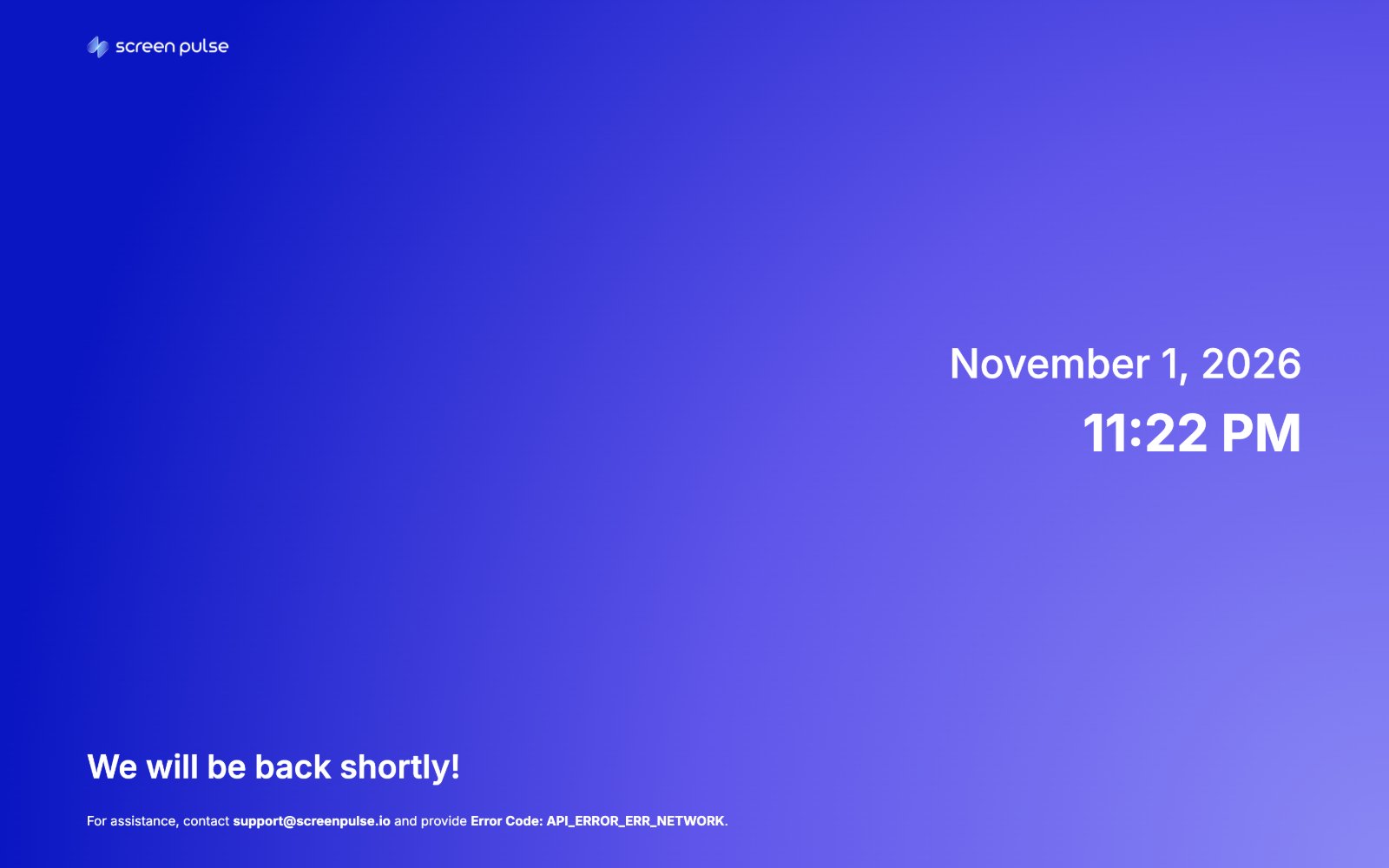
| We will be back shortly! with an Error Code | The player lost its connection to Screen Pulse, or couldn't sign in. |
| We're sorry, but it seems like this device has lost its Internet connection. | The device has been offline long enough that what it was showing may be out of date. |
"Sorry, can't obtain pairing code"
The device can't reach Screen Pulse to get a code. Check, in order:
- Is the device online? Open a website in the device's browser, or check its network settings. On Wi-Fi, check it joined the right network and that the network doesn't need a sign-in page (as hotel and guest networks often do).
- Does your network block Screen Pulse? Company and school networks often allow only approved addresses. Send your IT team Network requirements: what your IT team needs to allow.
- Restart the player. Close the Screen Pulse app and open it again, or unplug the device for 10 seconds. In a browser, reload the page.
- Is the device's date and time right? A clock that's far off can make secure connections fail. Turn on automatic date and time in the device's settings.
On an Amazon Signage Stick, see also Amazon Signage Stick troubleshooting.
"We will be back shortly!"
The player shows this, with today's date and time and an Error Code, when it loses its connection to Screen Pulse or can't sign in. It keeps retrying on its own, so a short network hiccup clears by itself.
If it doesn't clear within a few minutes:
- Go through the checks for "Sorry, can't obtain pairing code" above.
- Check the system status page in case it's on our side.
- Contact us through Support → Contact Support, or at the email on the screen, and include the Error Code it shows. The code tells us which step failed.
"This device has lost its Internet connection"
The device has been offline for a while. The player shows this instead of content that may no longer be current, such as an old schedule or an ended promotion. As soon as the device is back online, it goes back to playing your content on its own; you don't need to re-pair it.
If it keeps coming back, the device's connection is unreliable: move the router or access point closer, or use a wired connection. See My screen shows Offline.
Related articles
- My screen shows Offline Why a screen goes Offline, what to check at the display, and what to do when every screen is Offline at once.
- Network requirements: what your IT team needs to allow The internet addresses Screen Pulse players and the CMS need, for networks with firewalls or filters.
- Amazon Signage Stick troubleshooting Fix the most common Signage Stick setup problems, from Wi-Fi and remote pairing to a stick that doesn't show Screen Pulse.
Still need help?
Our support team can walk you through it.