

Ask a Question
Let viewers scan a QR code to send you a question.
Updated 1 min read
The Ask a Question app puts a QR code on your screen that viewers scan to send you a question, using a web form or email you choose. Scans are counted under Metrics.
Set it up
- Turn on Ask a Question in Apps → App Store (only once).
- Go to Apps → My Apps → Ask a Question and click Create Instance.
- Fill in the settings below, check the live preview, and save.
- In My Apps, open the menu next to Preview on its row and click Add to playlist or Set to Screen. You can also add it from the playlist, with Add content (on its Apps tab).
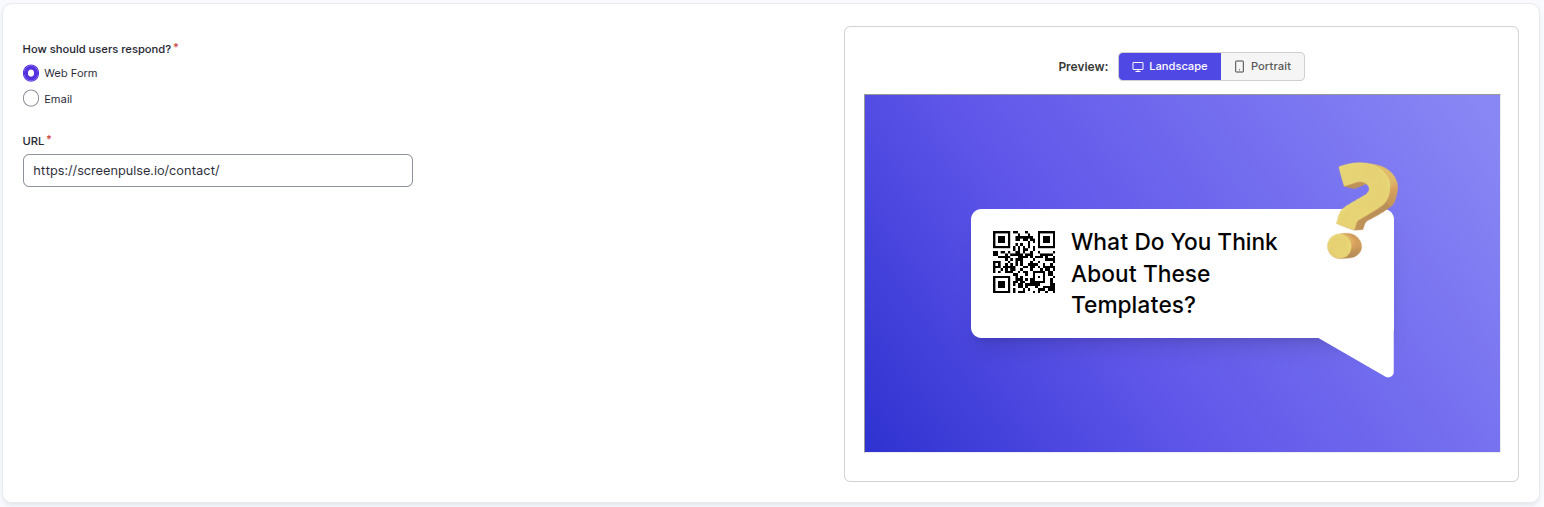
Settings
| Setting | What it does |
|---|---|
| Name | Your name for this app in Screen Pulse. |
| Web Form | The web form that collects questions. |
| The address questions are sent to. | |
| URL | The page viewers open when they scan the code. |
Tips
- Test it with your phone before it goes up: scan the code and send yourself a question.
- See how many people scan it in Metrics; see See how often your QR codes are scanned.
Related articles
- See how often your QR codes are scanned The Metrics page counts every scan of the QR codes your apps show. See scans per day, compare codes and download the numbers.
- Apps explained: turn on, set up, use How apps work in Screen Pulse, from the App Store to a screen, and how to edit, copy and remove them.
Still need help?
Our support team can walk you through it.