

Follow Us
Show QR codes for up to 15 social accounts so visitors can follow you from their phone.
Updated 2 min read
On this page
The Follow Us app shows a QR code for each of your social accounts, up to 15, so visitors can scan one and open your profile on their phone. Show one large code at a time (Spotlight) or several at once (Grid). Scans are counted under Metrics.
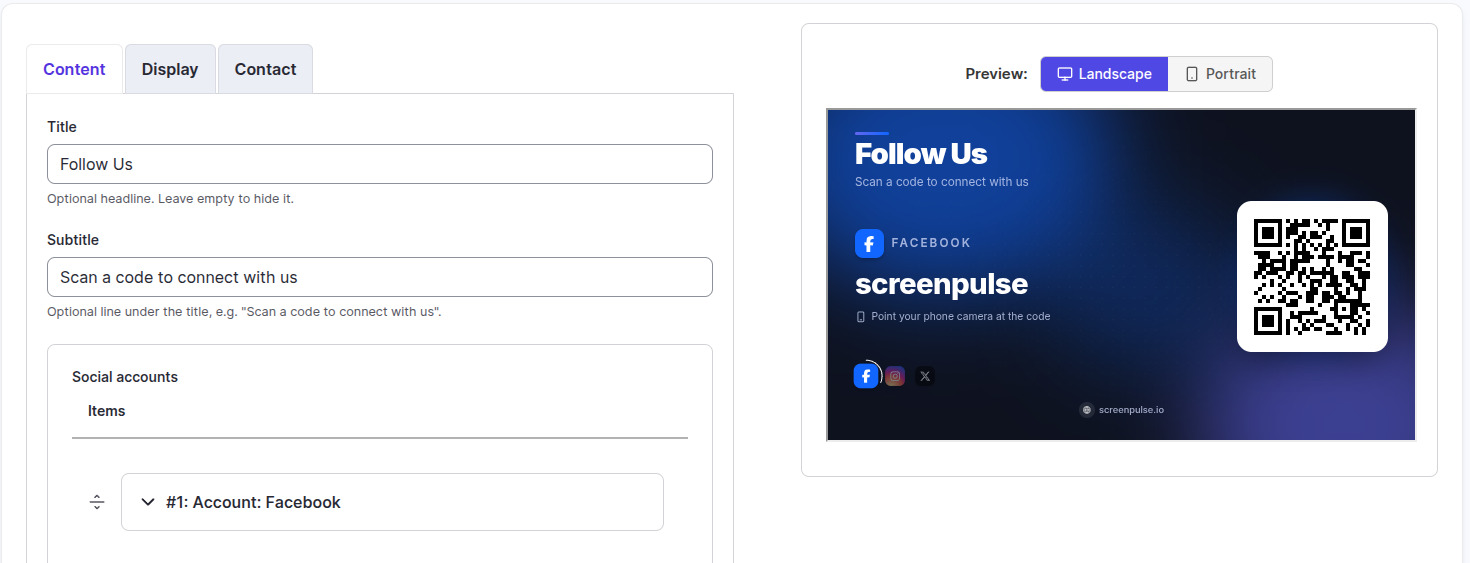
Set it up
- Turn on Follow Us in Apps → App Store (only once).
- Go to Apps → My Apps → Follow Us and click Create Instance.
- Fill in the three tabs below, check the live preview, and save.
- In My Apps, open the menu next to Preview on its row and click Add to playlist or Set to Screen. You can also add it from the playlist, with Add content (on its Apps tab).
Content tab
| Setting | What it does |
|---|---|
| Name | Your name for this app in Screen Pulse. Not shown on screen. |
| Title | The headline, up to 40 characters. Default "Follow Us"; leave empty to hide it. |
| Subtitle | An optional line under the title, up to 80 characters. |
| Social accounts | Click + Add Account for each account, and drag rows to set the order. |
| Network | Facebook, Instagram, X, LinkedIn, YouTube, TikTok, Threads, Pinterest, Snapchat, WhatsApp, Telegram, Discord, Reddit, Twitch or Bluesky. |
| Username or profile URL | Your username (with or without @) or the full profile address. For WhatsApp, the phone number with country code. |
Display tab
| Setting | What it does | Default |
|---|---|---|
| Layout | Spotlight (one large code at a time) or Grid (several at once). | Spotlight |
| Rotation interval (seconds) | How long each account, or each page of codes, stays up. 3 to 60. | 10 |
| Theme | Dark or Light. | Dark |
| Accent color | The glow and highlight color. Match your brand. | Indigo |
Contact tab
Website, Email and Phone appear in the footer when filled in.
Tips
- Grid keeps codes big enough to scan. If they don't all fit, it splits them across pages.
- A row without a username or a network is skipped on screen.
- Only one network? Follow Us on Facebook gives a single page more room.
Related articles
Still need help?
Our support team can walk you through it.