

Try Screen Pulse without a physical screen
Build and check your content before any hardware arrives, using previews or a laptop as a screen.
Updated 1 min read
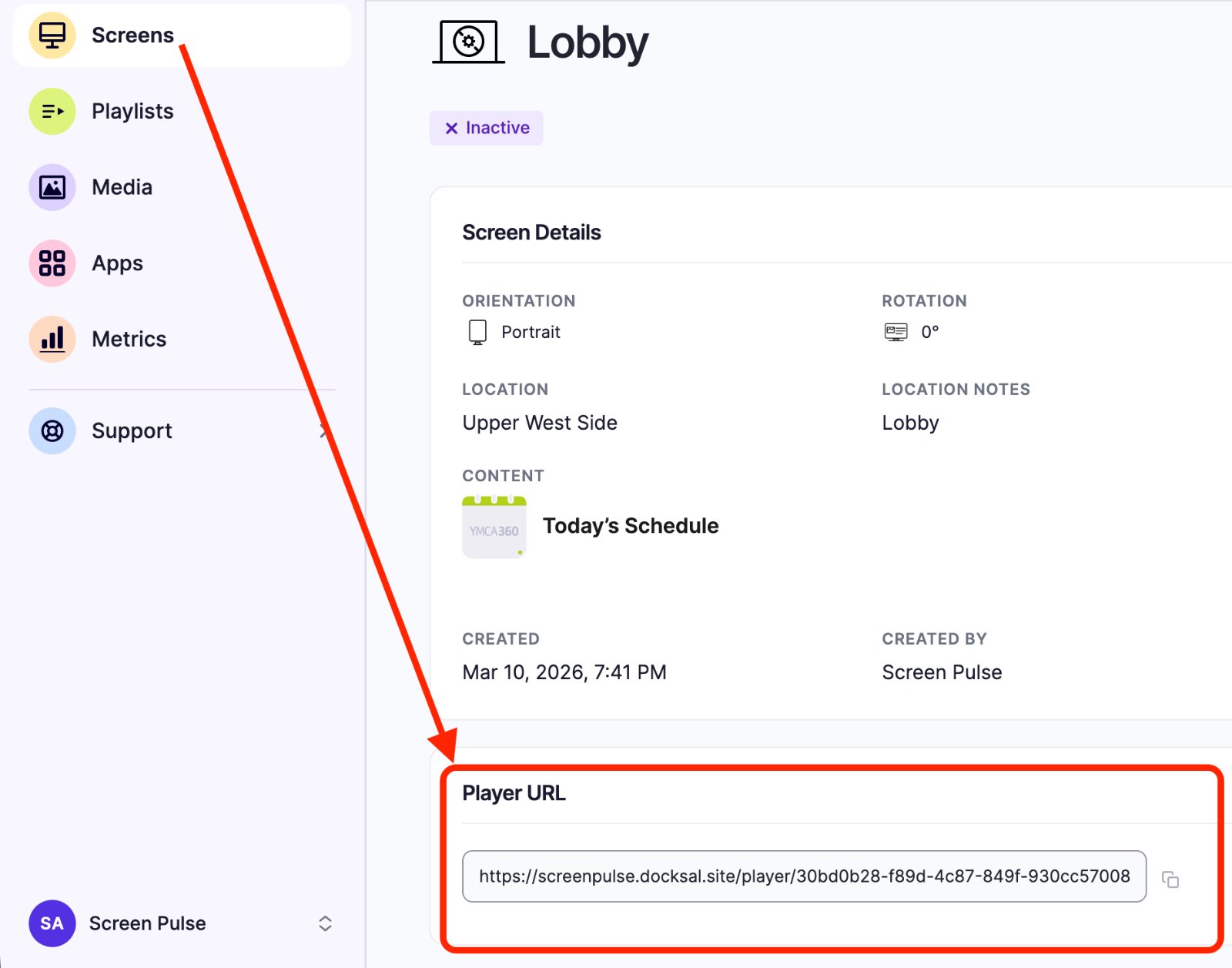
You don't need a TV to start. Build your playlists and apps, and check them with Preview. When you want to see a real screen, use a laptop, tablet or phone as one: an Owner can open any screen's Player URL in a browser.
Preview your content
- A playlist: click Preview on its row in Playlists.
- An app: the setup form has a live preview, with a landscape and portrait switch.
- A screen: create the screen with Create screen but pair it later, assign content, and click Preview. See Set up a screen now, connect the device later.
Use a laptop or tablet as a screen
Owners can play any screen in a web browser, using the screen's own address:
- Create the screen with Create screen but pair it later, and assign it some content.
- Open the screen's page and copy the address in its Player URL field.
- On the laptop or tablet, open that address in a browser and switch to full screen.
It plays the screen's content, just like a TV would.
Good to know
- A browser is fine for trying things out. For screens that run all day, use a dedicated player; see Which devices and operating systems can I use?.
- Browsers may keep video muted until someone clicks the page.
- The trial screen uses a license like any other. Delete it when you're done to free the license.
Related articles
Still need help?
Our support team can walk you through it.