

My embedded webpage won't load
Why a Webpage Embed shows blank, and what to try instead.
Updated 1 min read
Most often the website itself refuses to be shown inside another page. Many sites do this for security, and there's no setting in Screen Pulse that can override it. The other common causes are an incomplete address and a page that needs a login.
Check these, in order
Is the address complete? Use the full address starting with
https://, copied from your browser's address bar. Without it, the app shows "Please enter a valid URL." under Webpage URL.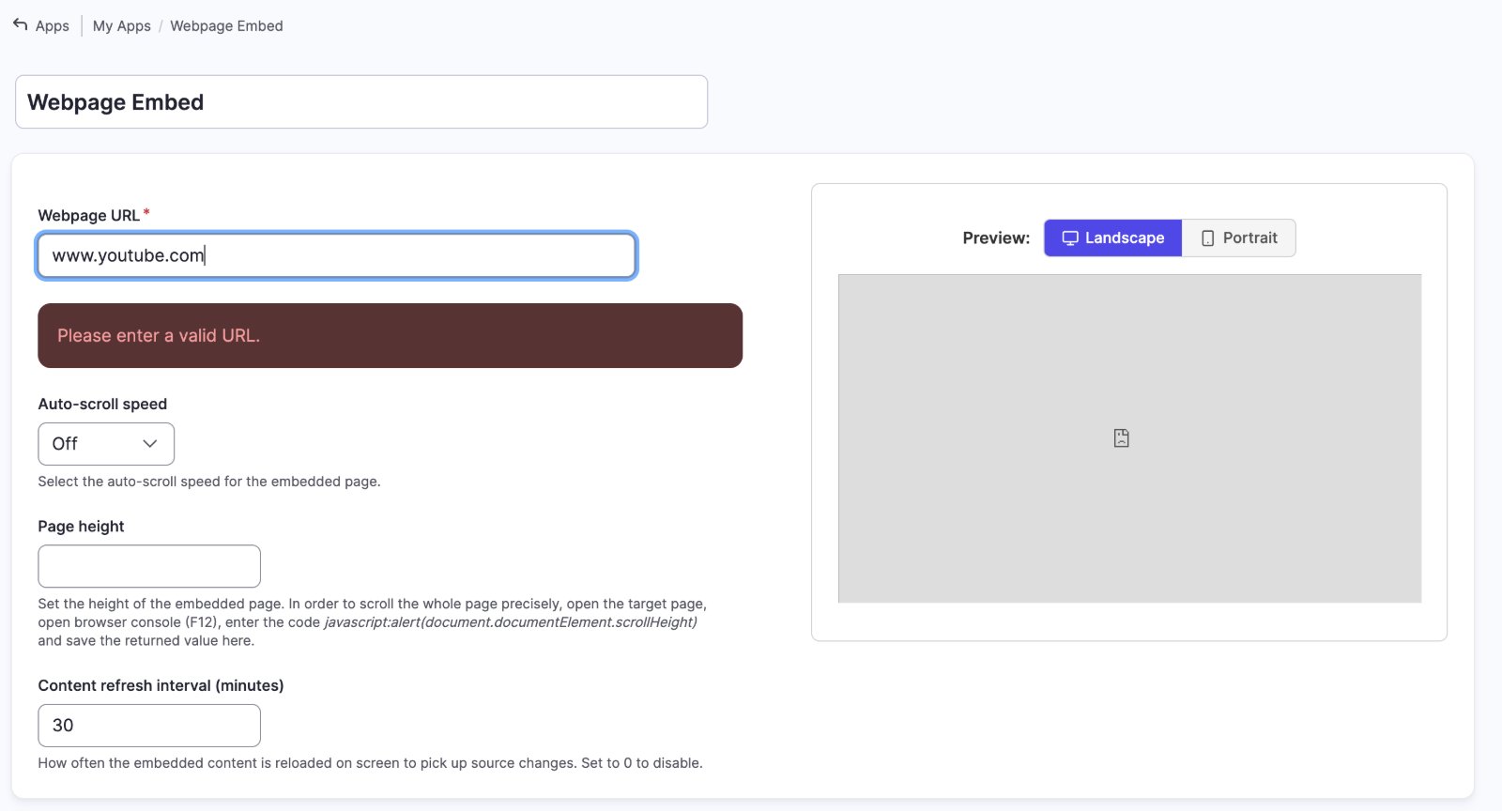
Does it open without logging in? A screen has no login. Open the address in a private browser window: if it asks you to sign in, the screen can't show it. Publish or share the page publicly first.
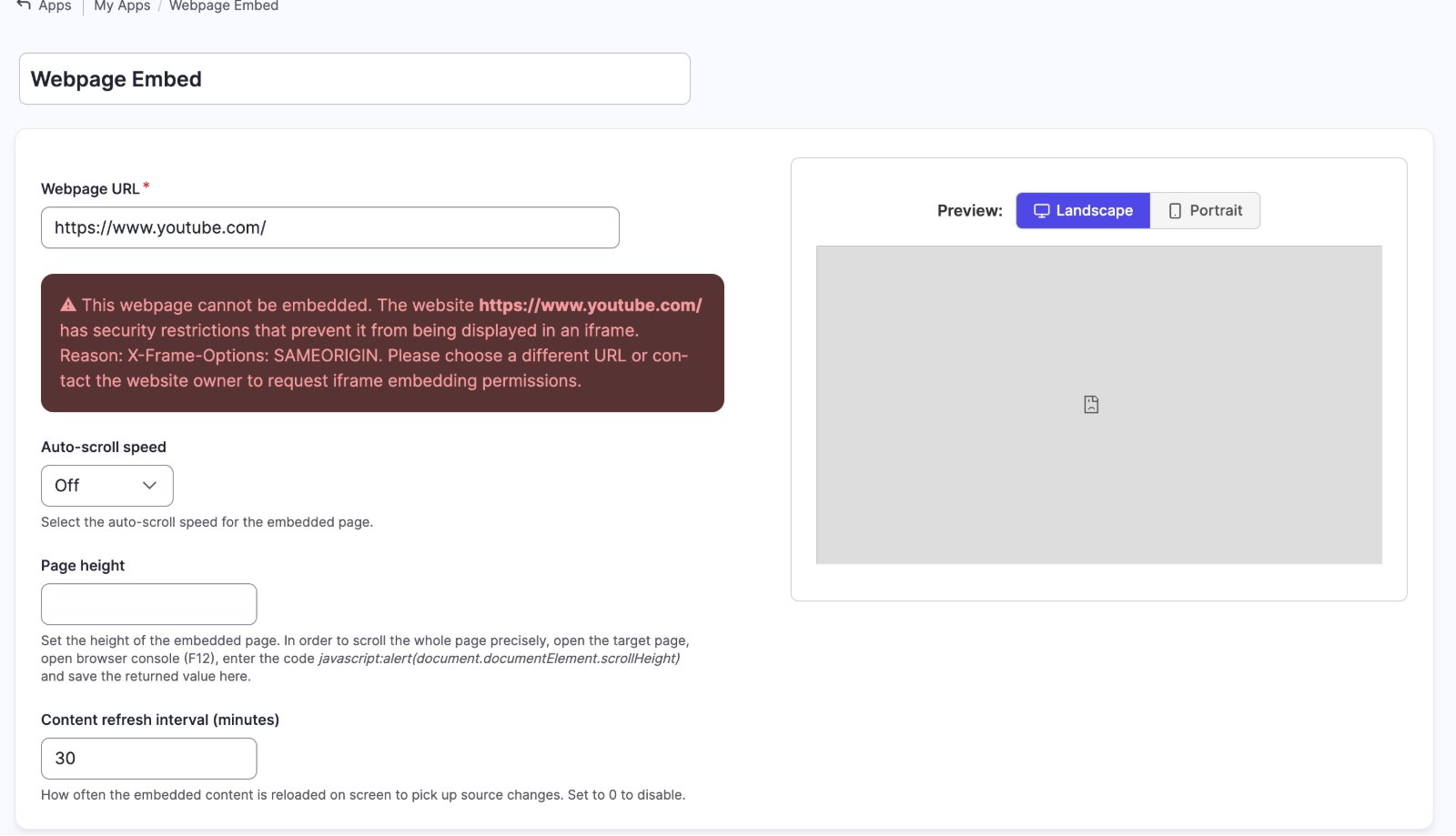
Does the site allow embedding? When you enter the address, the app checks it. If the site blocks embedding, you see "This webpage cannot be embedded" with the reason, and the preview stays blank. Choose a different page, or ask the site's owner to allow embedding. Some sites only block on a real screen, so check there too.
Does it load but look wrong? Adjust Page height and Auto-scroll speed in the app's settings.
Alternatives when a site blocks embedding
- YouTube or Vimeo videos: use the YouTube or Vimeo app instead.
- Designed slides or posters: use the Canva Embed app, or export images and add them to a playlist.
- Your own website: whoever manages the site can allow it to be embedded.
- Something else: ask us through Support → Contact Support, or click Request App in the App Store.
Related articles
Still need help?
Our support team can walk you through it.