

Donor Gratitude Wall
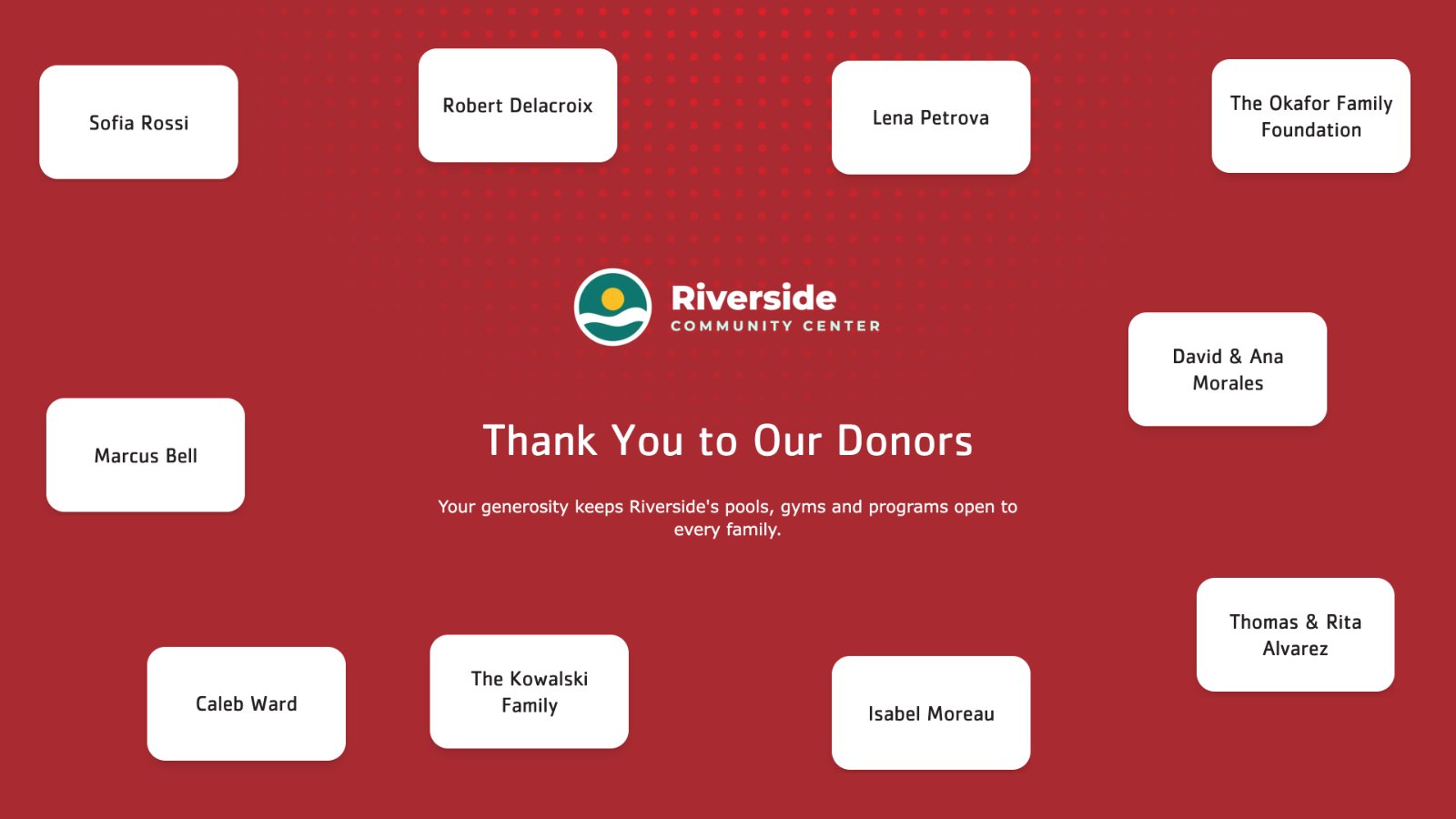
Donor names on cards that drift and swap around your message of thanks.
Updated 2 min read
The Donor Gratitude Wall puts your title and message of thanks in the middle of the screen, with donor names on cards around it that fade out and swap for others. Donors come from your donor list automatically, filtered by amount, type and level.
Set it up
- Go to Donor Recognition → Templates and click Use template on Donor Gratitude Wall.
- Give it a Display name, then fill in each tab and click Continue. The Preview shows the display with your current donors as you type.
- Click Create display.
- In My displays, open its ⋮ menu and click Set to Screen, or add it to a playlist.
Message
| Setting | What it does |
|---|---|
| Title | The headline in the middle. Up to 60 characters; about 40 reads best. Required. |
| Description | Optional text under the title, for example who the wall thanks. Up to 400 characters. |
Donors
Leave a setting empty to include everyone.
| Setting | What it does |
|---|---|
| Relationship type | Only donors of these types: Donor, Sponsor, Partner, In-kind Sponsor. |
| Sponsorship level | Only donors of these levels. The list holds the levels your donors use, plus No level assigned. |
| Donation amount | A Minimum and Maximum gift. Leave one blank for no limit. |
| Locations | Only donors recognized at these locations. Inherit screen location uses the location set on each screen showing the display, so one display serves every site. Donors with no location always show. See Show each location its own donors. |
Branding
| Setting | What it does |
|---|---|
| Use the organization logo | Shows the logo from your organization's settings. Untick it to choose a Logo for this display only. |
| Theme | Default, Blue, Teal, Purple, Yellow or Red. |
Tips
- Keep the message short. The cards move around it, so two or three lines read best.
- The pace is set by the wall. A card swaps for another every 5 to 12 seconds, and that can't be changed. For a calmer screen, use Listing.
- The wall has no QR code. Use Donor Highlight or Featured Donors to link to a donation page.
Related articles
- Listing A scrolling donor roll under your title and message, filtered by amount, type and level.
- Choose a donor display style and theme The ten Donor Recognition styles side by side, and how themes and logos work.
- Recognition periods: why a donor appears or disappears How long a donor is shown, and what to check when a donor is missing from a screen.
Still need help?
Our support team can walk you through it.